That feeling when you open your inbox. A wave of dread. A list of demands from other people. It’s a feeling of being behind before your day has even started.
This guide will show you how to manage email overload with a calm, practical system. We’ll move you from a reactive state of constant distraction to one of intentional control. It’s not about finding a magic app, but about building a thoughtful workflow that protects your focus and frees you up for the work that actually matters.
The True Cost of a Crowded Inbox

Email overload isn’t just an organizational problem; it's a profound drain on your focus, energy, and well-being. The real issue is the reactive state it forces us into. Every notification, every unread count, pulls our attention away from meaningful work. We've been conditioned to believe that quick replies equal productivity, but this constant checking just creates a vicious cycle of distraction and the hidden productivity drain of context switching.
The sheer volume of communication is staggering. With projections showing over 392 billion emails will be sent and received daily by 2026, it’s no wonder we feel overwhelmed. This constant influx and the compulsive need to check it fragments our focus, making it nearly impossible to concentrate on our most important work. This habit of constant checking slowly erodes your ability to maintain deep focus. You're not just reading an email; you're breaking your concentration, and it takes valuable time and mental energy to get back on track.
Regaining control isn't about finding a secret shortcut. It’s about building an intentional, sustainable system. It requires moving from a reactive mindset—where your inbox dictates your day—to a proactive one, where you decide when and how to engage with your email. The goal is to transform your inbox from a source of stress into a simple delivery service, allowing you to achieve a state of "inbox calm."
Principles That Actually Matter for Calmer Email Management
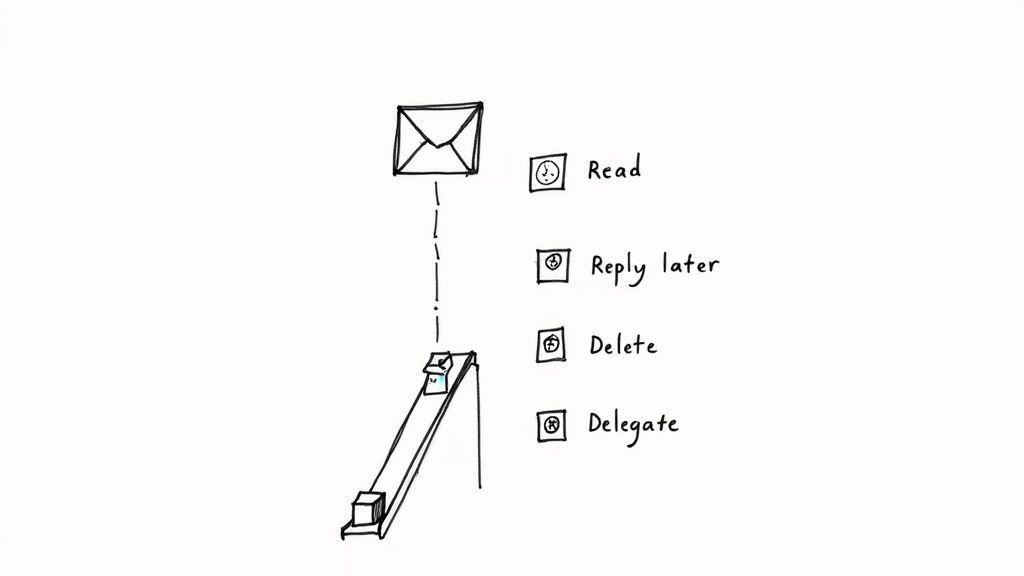
Before diving into workflows, it's essential to adopt the right mindset. How you think about email is the single biggest factor in how you manage it. These principles lay the groundwork for a much healthier relationship with your inbox. Without this mental shift, even the best tips are just temporary fixes.
Your inbox is a delivery service, not a to-do list
This is the most important principle. Your inbox's only job is to receive and send messages. That's it. It’s not a task manager, a project planner, or a file cabinet. When you let your inbox dictate your priorities, you're letting other people's agendas run your day. An urgent request from a colleague doesn't automatically make it your most important task. The key is to separate the act of receiving information from the act of doing the work by consciously pulling action items out of your inbox and into a dedicated system where you can prioritize them against your actual goals. This is a core part of Sunsama’s philosophy of “forced thoughtfulness.”
Batch your email time intentionally
Constantly checking email is the enemy of deep work. Research shows it can take over 23 minutes to fully get back on track after an interruption. Instead of reacting to every notification, schedule specific blocks of time for email. Two or three 30-minute sessions are a great place to start—one in the morning, one after lunch, and a quick one before you wrap up. By batching your email time, you transform a reactive habit into a planned activity. This simple shift gives you control over your schedule and protects your most valuable asset: your uninterrupted focus.
Process to zero, don’t just read endlessly
There’s a massive difference between "reading" an email and "processing" it. Just opening a message, reading it, and leaving it in your inbox for later is a recipe for overwhelm. Processing means making a decision on every single email the first time you touch it. The goal isn't necessarily "inbox zero," but "inbox processed." Every message has been handled. This is about being decisive. When you open your inbox, your only job is to empty it by making a choice for each message. This clear objective turns a daunting task into a manageable one.
A Step-by-Step Guide to a Calm, Repeatable Email Workflow
Now let's build a system you can actually use. The point is to get you in and out of your inbox fast, with a clear action plan for what comes next. The golden rule? Touch each email just once, make a decision, and move on.
1. Schedule your email blocks
The most important part of this system is batching your email. Fence off dedicated time for your inbox so it doesn’t bleed into every corner of your day. Start by scheduling two or three 30-minute email blocks on your calendar. Treat these blocks like a meeting—they're non-negotiable. This one habit is a game-changer for protecting your focus and is a fundamental principle of time blocking your schedule.
Try it in Sunsama: Drag and drop your email sessions right onto your calendar. When it’s time to start, Sunsama’s Focus Mode will help you tune out distractions and stay on track.
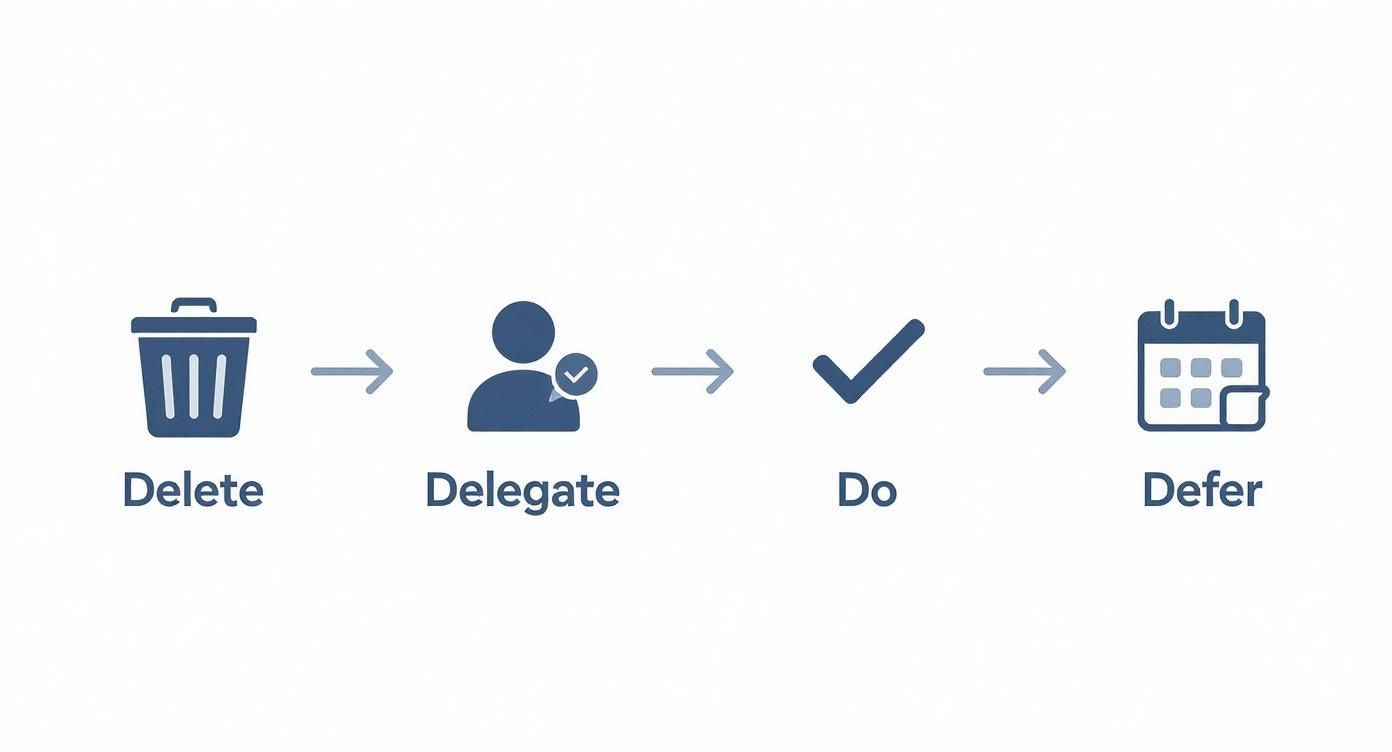
2. Triage your inbox with the Four Ds
When you enter a scheduled email block, your mission is to process every message until you hit zero. The "Four Ds" is a perfect decision-making framework for this.
- Delete: Be ruthless. Newsletters you haven't read, FYI messages you've seen, marketing promos? Get rid of them. Over 50% of emails can likely be deleted on sight.
- Delegate: If someone else on your team can handle it better or faster, forward it immediately with a clear note. Then, archive the original.
- Do: If you can reply in less than two minutes, just do it now. This prevents tiny tasks from piling up. Get it done, archive it, and move on.
- Defer: This is for anything that needs more than two minutes of real work. An email is a delivery mechanism, not a task. Pull the action out and put it into your task manager.
Try it in Sunsama: When you land on an email you need to defer, just drag it out of your inbox and drop it into your Sunsama task list. From there, you can schedule it for a specific day.
3. Let smart filters do the heavy lifting
A huge chunk of your email doesn't need your manual attention. Filters and rules are your secret weapon. Set up filters that automatically label and archive low-priority mail like newsletters, system notifications, and receipts. This pre-sorting makes your scheduled email blocks dramatically more efficient.
4. Create templates for your greatest hits
Think about how many times you type the same basic email. Acknowledging a file, scheduling a meeting, or politely saying "no" are all candidates for templates. Most email clients have a native feature for this—look for "Templates" in Gmail or "Quick Parts" in Outlook. This isn't just about saving time; it's about reducing decision fatigue.
5. Unsubscribe aggressively
Every week, make it a point to unsubscribe from at least three newsletters or marketing lists you no longer read. This is a proactive step that reduces future email volume at the source. It’s a small, satisfying action that pays dividends in a quieter inbox over time.
The Myth of Inbox Zero
"Inbox zero" has become the holy grail of productivity. While the intention is good, chasing an empty inbox can ironically create more stress. It quickly becomes just another number to obsess over, turning email management into your main job instead of your actual job. Let's be clear: the goal isn't a literally empty inbox. It's a clear mind. It's the calm you get knowing every important message is handled and every action item is captured.
When you're fixated on hitting zero, every new email feels like a tiny failure. This constant, low-level anxiety can push you into a reactive workflow, fragmenting your focus. The real win isn't hitting an arbitrary number. It's building a system you trust so completely that you know nothing important will fall through the cracks. As we've written before, inbox zero is not the answer.
Aim for "inbox managed," not "inbox empty." This simply means that by the end of your scheduled email time, you feel in control. Every email has been seen, and a decision has been made about it. That's it. This mindset supports a calmer, more intentional way of working.
How We Use Sunsama to Stay on Top of Email
At Sunsama, we built our tool around the philosophy of intentional daily planning, and that extends to how we handle email. Instead of letting our inboxes run our days, we follow a simple triage → plan → focus loop.
During our morning planning ritual, we do a quick triage of our inboxes. The goal isn’t to answer everything, but to identify what needs action. Using Sunsama's Gmail integration, we drag any email that requires real work directly into our task list for the day. This simple act moves the work out of a reactive environment (the inbox) and into a proactive one (our daily plan).
Once those tasks are planned alongside our other priorities, we can close our inboxes with confidence. We know the important work has been captured and scheduled. This forced thoughtfulness is key—it ensures we’re working on our priorities, not just what’s most recent. When it’s time to work on an email-related task, we use Focus Mode to stay on track, and when we reply, we’re doing it as part of our intentional plan for the day.
How can I reclaim my focus from email overload?
Even with a good system, challenges pop up. Here are some quick answers to common questions.
How much time should I spend on email each day?
A great starting point is two or three dedicated 30-45 minute sessions per day. The key is to batch your email time into intentional windows rather than checking it constantly. This protects your focus for deep work.
Try this in Sunsama: Drag those email blocks directly onto your calendar in Sunsama. When it's on your schedule, you're more likely to honor that commitment.
What if my job demands immediate responses?
The goal is to be selectively responsive. Set up a VIP filter for the handful of people who truly need an instant reply (your boss, top clients). Let notifications through for only them. Everything else can wait for your scheduled email blocks.
Is inbox zero a realistic goal?
For most people, no. A healthier mindset is "Inbox Managed." This means you've seen every email and have a plan for it. The goal isn't zero messages; it's zero stress about your inbox because you have a trusted system.
Feeling in control of your inbox is the first step toward a calmer, more focused workday. This isn't just about organizing messages; it's about reclaiming your time and attention for what truly matters. By adopting these principles and building a repeatable workflow, you can transform email from a source of anxiety into a tool that serves you.
Remember, the goal is calm, focused progress, not perfection. Start with one or two of these steps, and build from there.
Ready to see how a thoughtful daily planner can transform your workflow? Try Sunsama free for 14 days. Setup is quick and our email integrations make it easy to get started.