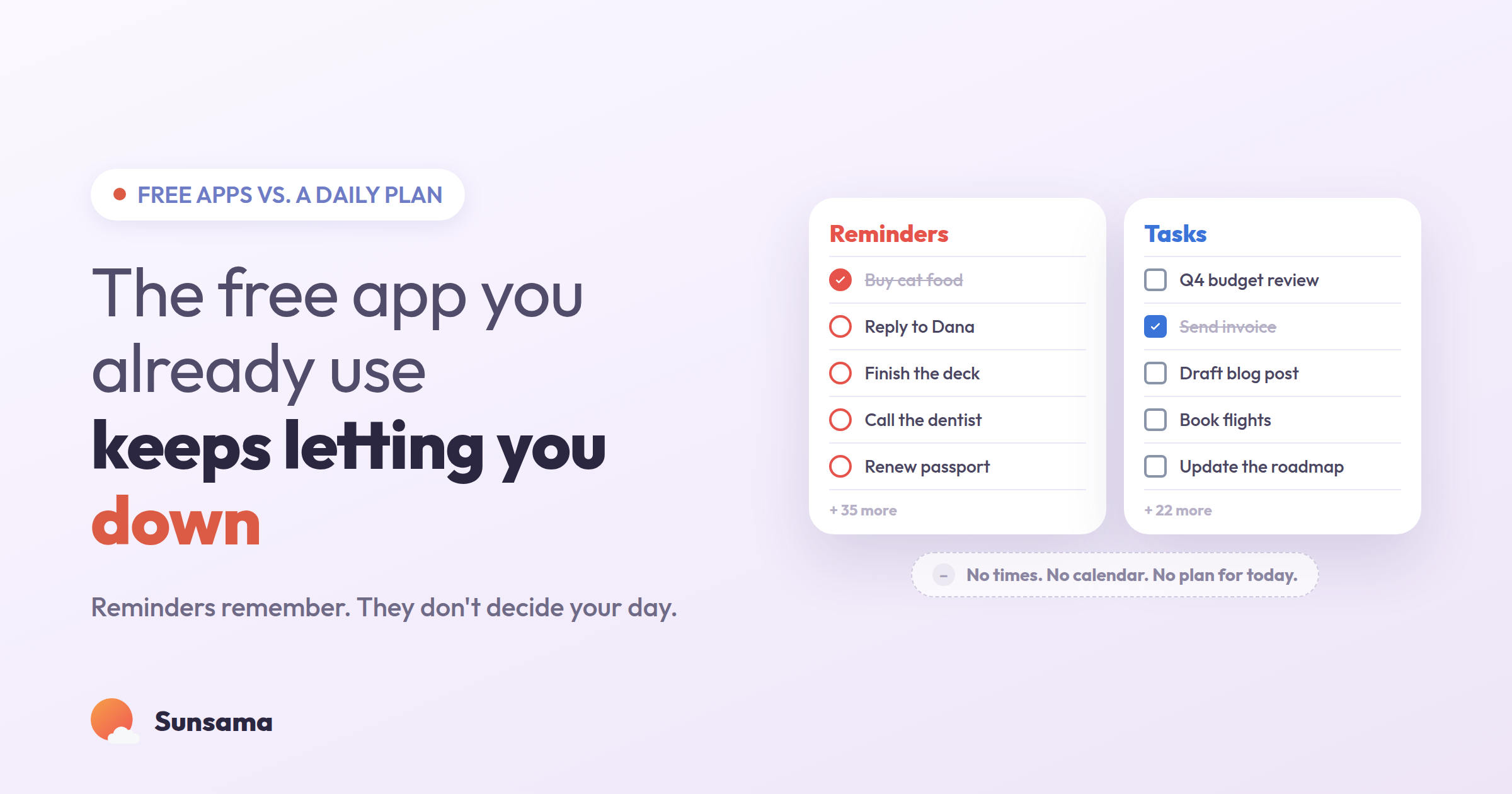
You already have a to-do app. It came with your phone, or it was one tap away in the Google account you use for everything else, and it was free, and it was there, so you started typing things into it. Buy cat food. Reply to Dana. Finish the deck. Call the dentist. Months later the list is forty items long, you add to it faster than you clear it, and some quiet part of you has stopped believing any of it will actually happen.
That’s not a discipline problem. Apple Reminders and Google Tasks are good at exactly what they were built for — catching a thought before it floats away — and most people are asking them to do something they were never designed to do, which is tell you what your day should actually look like. A list of reminders and a plan for a day are two different objects. When you treat the first like the second, the day quietly falls apart, and you assume the fault is yours.
So before you go shopping for a fancier app, it’s worth being honest about what the free one in your pocket does well, where it stops, and what the gap between a list and a plan actually costs you.
What a free to-do app is genuinely good at
Give the built-ins their due. Apple Reminders, Google Tasks, Microsoft To Do, a notes app — they are fast, they sync, they cost nothing, and they are always within reach. When a task lands in your head mid-meeting, you can get it out of your head and into a trusted place in about three seconds. That capture reflex is the single most important productivity habit there is, and the free tools nail it.
If capture is all you need — a grocery list, a handful of errands, the occasional “don’t forget” — then you honestly don’t need anything more. We’ve written a whole guide on how to make a to-do list that actually works, and most of that advice runs on tools you already own. Switching apps to manage six errands is its own kind of procrastination.
The trouble starts the moment your work outgrows errands — the moment “what do I need to remember” becomes “what should I spend today on.” That’s a different question, and a list can’t answer it.
Where the list quietly stops working
A reminders list has three blind spots, and they’re the reason your list keeps growing while your actual progress doesn’t.
The first is that a list has no sense of time. Fourteen unchecked items all look the same size on screen — a two-minute reply sits next to a six-hour writing project, both just a circle and a line of text. The list will happily let you “plan” a day with thirty hours of work in it, because it has no idea a day only holds a handful of real hours. It never pushes back.
The second is that a list has no sense of today. Everything you’ve ever added lives in one undifferentiated pile. The thing due Friday, the someday-maybe idea, the thing that’s genuinely on fire — all stacked together, all nagging equally. Your brain has to re-triage the entire list every time you look at it, which is exhausting, which is why you eventually stop looking.
The third is that a list has no end. You check a box, the box disappears, three more appear. There’s no version of the list that is ever “done for today,” so there’s no moment where you get to feel finished. The work just stretches out in front of you, infinite, which is a quietly corrosive thing to look at every morning. (This is also why pure lists can feel stressful rather than calming — we went deep on that in destressing the task list.)
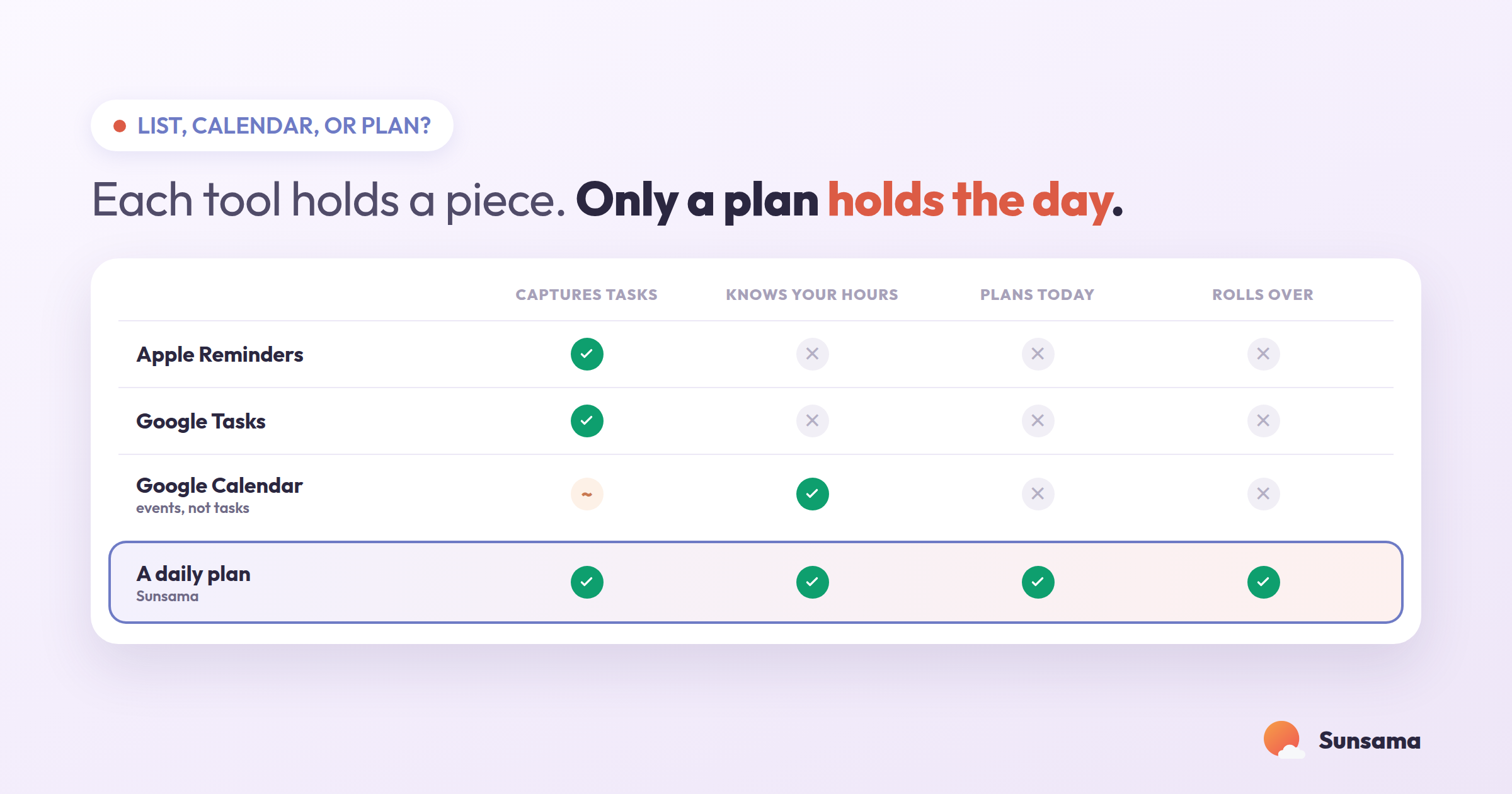
None of these are bugs. They’re just the edges of what a list is for. A list is a holding pen. A plan is a decision about where your hours go.
“Just put it on my calendar” isn’t the fix either
The usual next step is the calendar. If a list has no sense of time, the calendar is nothing but time — so people start dragging tasks onto it and call that planning.
A calendar is better than a list at one thing: it refuses to lie about how many hours exist. You can’t schedule a 30-hour day, because you’d run out of daylight on screen. That friction is useful. But a raw calendar has the opposite blind spot from a list: it’s great at holding events other people put there, and terrible at holding the quiet, low-status work that never gets an invite — the thinking, the admin, the one real task that actually moves your week. Your calendar shows you everyone else’s claims on your time and stays silent about your own.
So you end up running two systems. The list holds your intentions; the calendar holds your obligations; and nothing holds the two together. You spend the day glancing between them, mentally trying to reconcile a pile of tasks against a wall of meetings, and that reconciliation — done in your head, all day, on the fly — is the actual work that wears you out. Time blocking closes part of this gap, but only if something is pulling your tasks and your calendar into one view in the first place.
Try it in Sunsama: Pull up today with your real calendar and your task list side by side in one window. Before you add a single task to the day, look at how many hours are already spoken for by meetings. Whatever’s left is your actual capacity — usually far less than the list assumes.
What a daily plan does that neither one can
A daily plan is the third object, and it’s the one most people have never actually used. It’s not a longer list or a fuller calendar. It’s a short, deliberate answer to one question: given the hours I actually have today, what will I really do?
In practice a plan does four things a free list can’t:
1. It makes you choose. Instead of carrying forty open items, you pull a small number onto today — the ones that fit the hours you have. The other thirty-six don’t vanish; they wait in a backlog, out of your face, available tomorrow. Choosing is the whole point. A plan is defined as much by what you left off as by what you put on.
2. It attaches time to intent. Each task you commit to gets an honest estimate — not a wish, a guess at the real cost. When the estimates add up to more than the day holds, the plan tells you before you start, not at 6 p.m. when you’ve run out of day and out of patience. This is the single feature that most changes how a day feels.
3. It survives the rollover. Work you didn’t finish doesn’t silently reset or pile up invisibly — it gets a deliberate decision: move it to a specific day, shrink it, or let it go. Nothing rots at the bottom of the list. (For the weekly version of this move, see how to run a weekly review.)
4. It ends. There’s a version of a daily plan that is done — every committed task handled or consciously rolled — and reaching it is a real stopping point. You get to close the laptop having finished today, instead of staring at an infinite list and carrying it to bed.
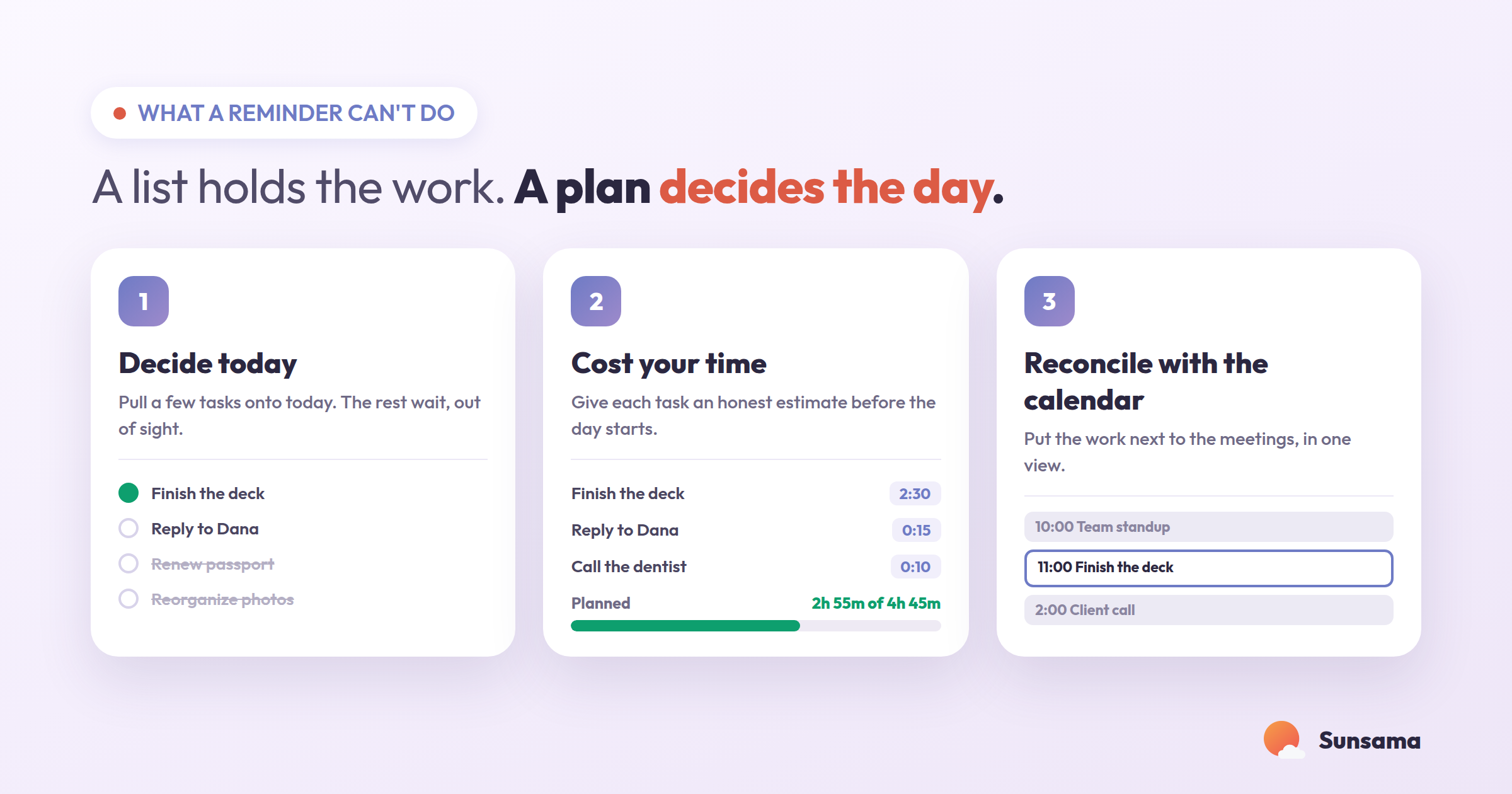
This is the difference people feel when they move from a free list to a daily planning tool, and it has very little to do with features. It’s the difference between a container that only ever fills and a decision that can actually be finished.
Try it in Sunsama: Tonight, don’t add to your list — subtract from it. Open tomorrow and pull over only the tasks that fit the open hours you actually have. Give each one a time estimate. If the total blows past your real capacity, that’s the plan working: cut until it fits. A plan you can finish beats a list you can’t.
So which should you use?
Honestly: keep the free list. It’s the best quick-capture net you’ll find, and you don’t need to abandon it. The real question isn’t list or planner — it’s whether anything in your system ever turns the list into a plan.
If your days are mostly errands and a handful of tasks, the built-in app is plenty, and the digital-vs-paper question matters more than the app question — we compared those in digital vs. physical planner.
But if you live inside a calendar, run on a stack of meetings, and keep ending days busy without feeling like you touched the work that mattered, the gap you’re feeling is the gap between a list and a plan. A tool that pulls your tasks and your calendar into one honest daily view — and makes you choose what fits — isn’t a fancier list. It’s a different object doing a different job.
Try it in Sunsama: Run one week as an experiment. Keep capturing into whatever free app you already use. But each morning, spend five minutes building a real plan from it — a short list of what fits today, each with a time estimate, placed against your calendar. At the end of the week, notice which days felt finished. That feeling is the thing a list was never able to give you.
Pro Tip: Don’t migrate your whole list into a new tool on day one. That’s the move that makes people quit in week two — you spend an afternoon importing forty stale items and immediately feel buried again. Start the new system empty. Each morning, pull in only today’s handful. Let the old list drain naturally as you either plan items in or realize you never actually meant to do them. A plan you build fresh each morning stays trustworthy; a plan you inherit from a year of guilt doesn’t.
The point was never to find the app with the most features. It was to stop asking a reminders list to make decisions it can’t make — and to give the deciding its own small, calm, daily place.