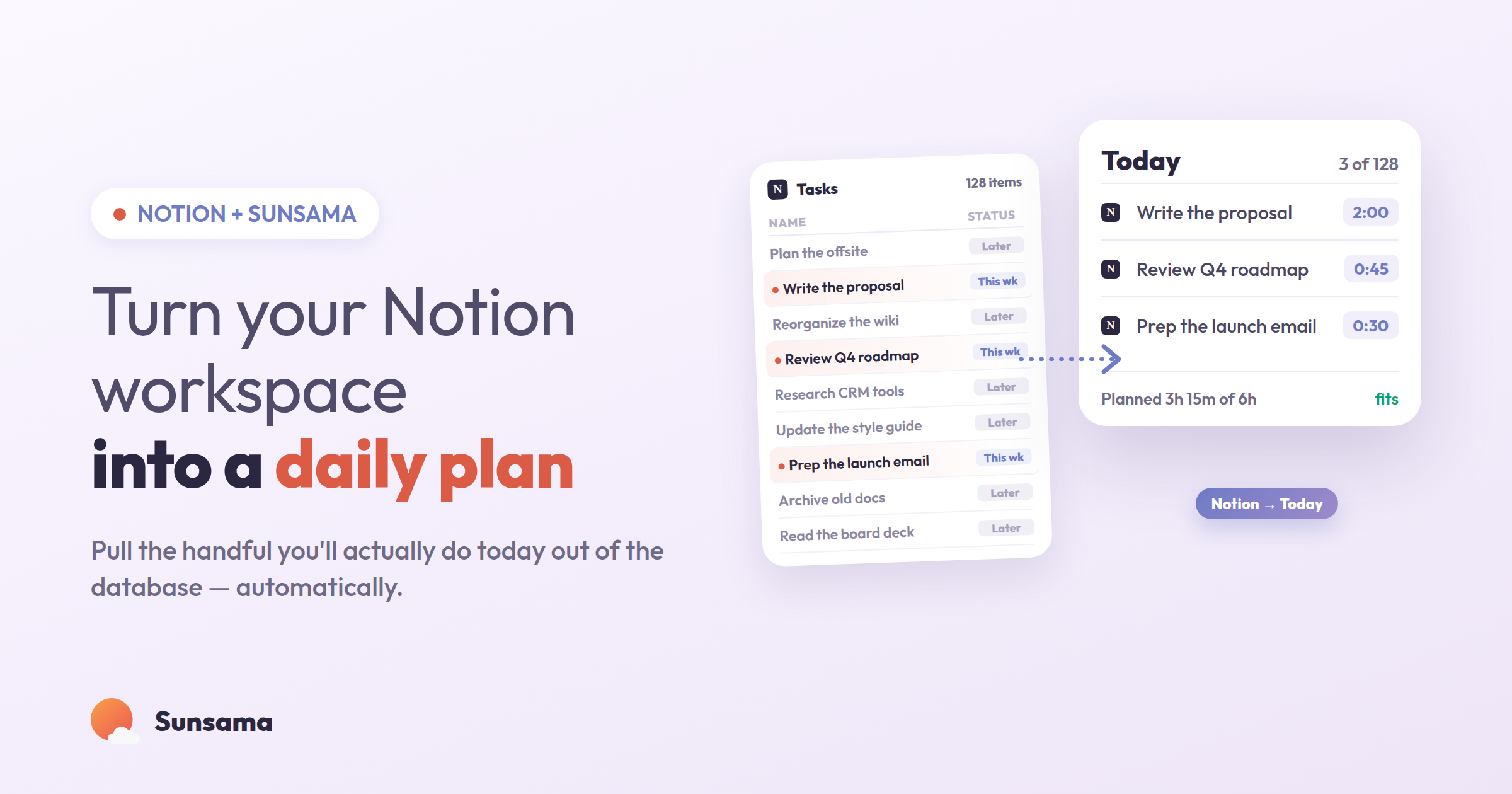
You’ve built the Notion setup. Databases for projects, a task tracker with six filtered views, a content calendar, maybe a “second brain” that catches every idea before it can slip away. It’s genuinely impressive — the kind of workspace people screenshot and share. And yet most mornings you open it and feel a small flicker of dread, because a beautiful system that holds everything still can’t quite tell you what to actually do today.
That’s not a flaw in Notion. It’s a boundary. Notion is a superb place to store, connect, and organize information. It was never designed to sit you down each morning and help you decide, honestly, what will fit in the hours you actually have. Storing your work and executing your work are two different jobs, and asking one tool to do both is where a lot of quietly abandoned systems come from.
The good news is that you don’t have to choose. Notion can stay your source of truth, and Sunsama can become the calm daily layer on top of it — the place where a small, honest handful of your Notion items turn into a real plan, timeboxed against your real calendar. You don’t have to rebuild anything to make this work. Here’s how the two fit together.
Why “everything in one place” never produces a plan
The promise of the all-in-one workspace is seductive: if every task, note, and project lives in one connected system, surely clarity follows. But storage and clarity aren’t the same thing. A database that holds two hundred items is a fantastic archive and a terrible to-do list, because the moment you open it you’re not planning — you’re scrolling, scanning, and quietly negotiating with yourself about what’s realistic.
Most productivity tools fail for exactly this reason: they’re optimized for capture, not commitment. (Sunsama has written before about why so many time management tools fail to work as advertised — the short version is that a tool can make you feel organized without ever making you effective.) The friction isn’t that your Notion is messy. Often it’s the opposite — it’s so complete that every morning you face the entire mountain at once, with no built-in way to ask the only question that matters: what can I realistically finish before the day ends?
This is the gap between organizing tasks and actually doing them. If you’ve felt it, you’re not disorganized. You’re just missing the second layer — the daily one. The best-organized workspace in the world still benefits from a moment each morning where you pull a few things forward and leave the rest where they belong. It’s the same instinct behind a good brain dump: everything can live somewhere safe, so your working memory only has to hold today.
Setting up the Notion → Sunsama flow
You’re not migrating out of Notion. You’re adding a thin, deliberate layer that reaches into it once a day. Here’s the setup, step by step.
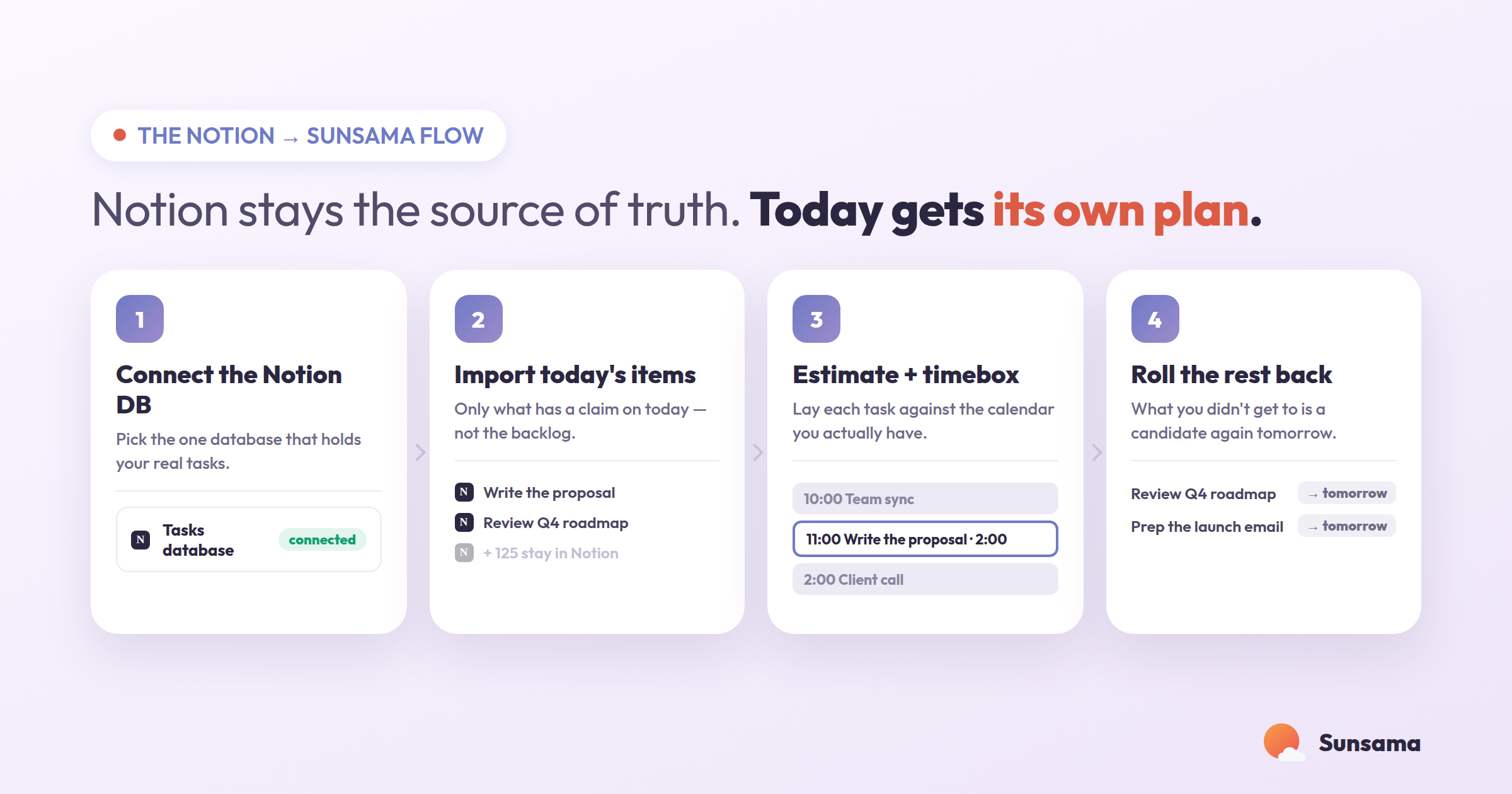
1. Keep Notion as your source of truth. Resist the urge to move anything. Identify the one or two databases that actually hold actionable work — usually a task database and a current-projects database. Your notes, wikis, and reference material stay exactly where they are. The goal isn’t to relocate your system; it’s to give the actionable parts of it a daily home.
2. Connect Notion to Sunsama. Once the integration is authorized, your Notion database items become importable as Sunsama tasks. It’s a two-way connection, which matters more than it sounds — add a Notion automation and Sunsama updates your tasks in Notion when you import them or check them off, so you’re never maintaining two lists that drift apart.
Try it in Sunsama: Open Workspace Settings (or click the Notion icon in the right-hand panel), connect Notion, and choose the database that holds your real tasks. You’ve just turned a static database into a source you can pull a daily plan from.
3. Pull only today’s candidates — not the whole database. This is the step that changes everything. During your morning planning, import just the Notion items you might realistically work on today. Not the backlog. Not “someday.” The five or six things that have a genuine claim on the next eight hours. Everything else stays in Notion, untouched and safe. If you want a fuller walkthrough of that morning ritual, Sunsama’s official daily planning guide covers the rhythm in depth.
4. Timebox what you pulled against your calendar. A list of six tasks looks reasonable until you lay it against a day that already has two meetings and a lunch. In Sunsama you can drag each imported card onto your calendar and watch the day fill up in real time. This is where over-planning gets caught before it becomes tomorrow’s disappointment — the core idea behind time blocking. If the tasks don’t fit, that’s not a failure. That’s the plan doing its job.
Try it in Sunsama: Drag your three most important Notion tasks onto today’s calendar. If they don’t fit alongside your meetings, you’ve just learned something true about today before it happened.
5. Let completion flow back. As you finish work, check tasks off in Sunsama. With a completion automation set up on the database, those items update in Notion automatically — no double entry, no end-of-day reconciliation. Your Notion database quietly stays current while you stay focused on the actual work.
6. Close the loop at the end of the day. Whatever you didn’t get to rolls over. It doesn’t vanish and it doesn’t nag — it simply lives back in Notion, ready to be a candidate again tomorrow. This daily open-and-close is what keeps the whole system honest over months instead of collapsing after two enthusiastic weeks.
Pro Tip: Create a single Notion view — a filter like “Status is not Done AND This week” — and treat that view as your import queue. Instead of facing the entire database each morning, you’re choosing from a pre-narrowed shortlist, which makes planning take three minutes instead of thirty.
The mindset shift: Notion remembers so you can decide
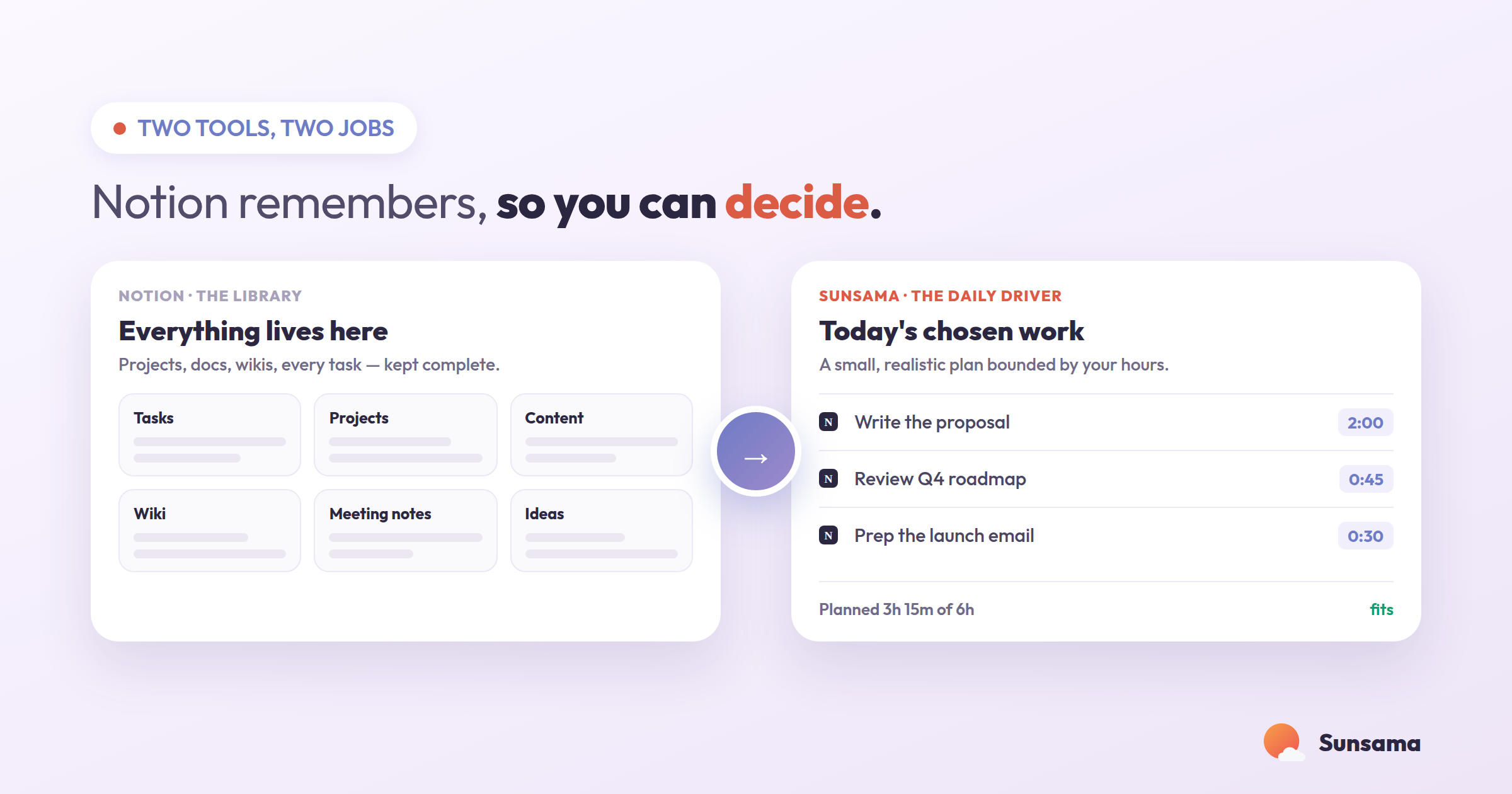
The real unlock here isn’t technical. It’s psychological. When one tool is responsible for remembering everything and another is responsible for deciding what matters today, a specific kind of pressure lifts. You stop scrolling your workspace looking for motivation. You stop confusing a tidy database with a finished day.
Notion becomes what it’s genuinely great at: the calm, complete memory of your work. Sunsama becomes what a good daily plan is supposed to be: small, realistic, and bounded by the hours you actually have. Capture and commitment stop competing for the same screen. If you’ve ever bounced between apps looking for the perfect all-in-one setup, this is the quiet resolution — not one tool that does everything adequately, but two tools each doing one thing well, connected so you never pay the tax of maintaining both. It’s the same principle behind choosing productivity tools deliberately rather than hoping a single app will fix your relationship with your work.
Getting started this week
Don’t overhaul anything. Pick one database — the one with your real, actionable tasks. Connect it. Then, for the next five mornings, do just one thing: import only what you can realistically finish today, timebox it, and let the rest stay in Notion. That’s the entire practice.
By Friday you’ll notice the difference isn’t that you did more. It’s that you spent the day working from a plan you trusted, instead of a database you were bracing against. Your second brain finally gets a daily driver — and the workday gets a little quieter.