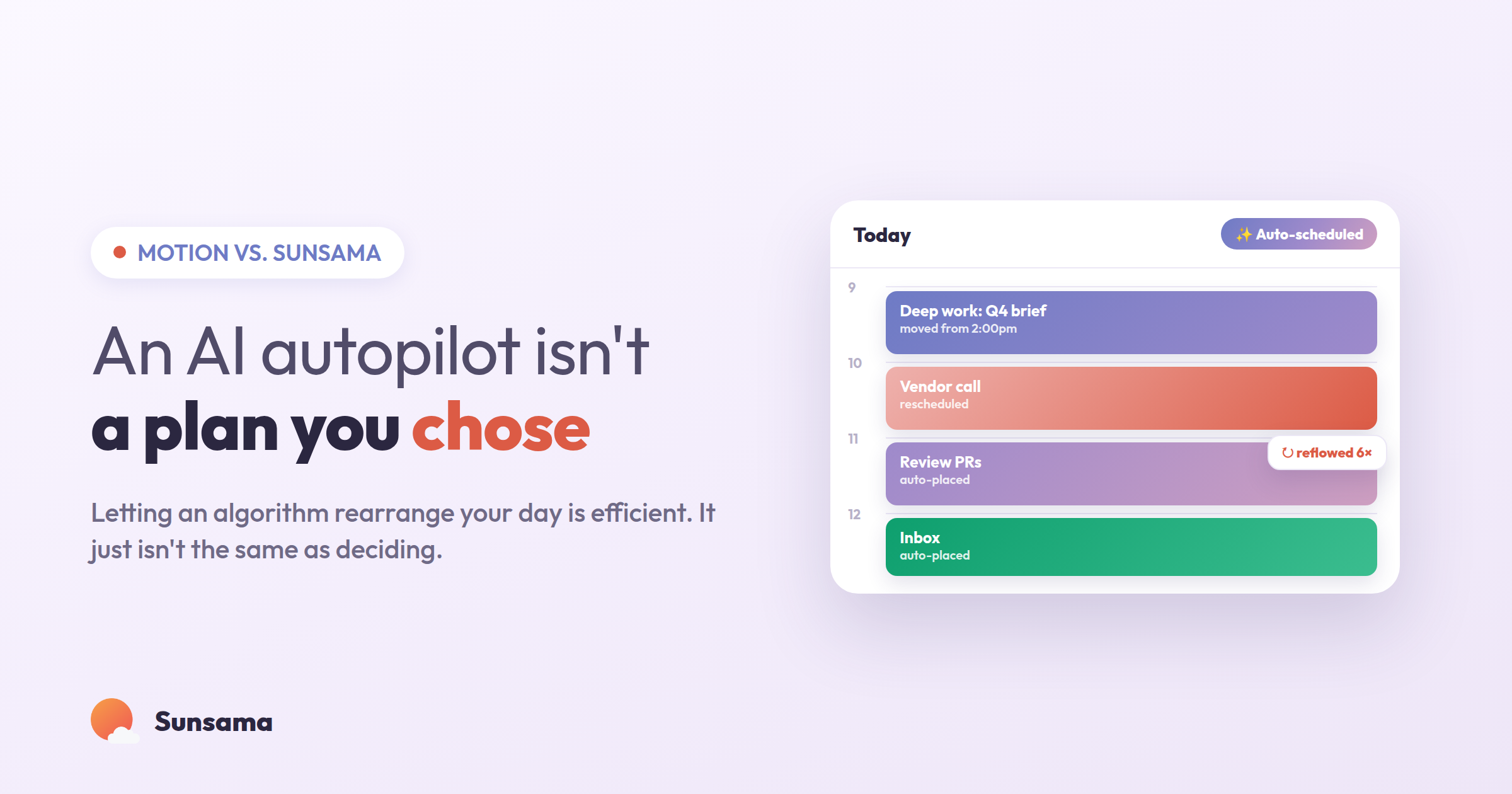
You open your laptop, and the day is already decided. Every task has a slot. The meeting that moved overnight has been quietly reshuffled around. A little colored block tells you that from 9:40 to 10:25 you will be writing the proposal, whether or not that’s what you’d have chosen. For a certain kind of overwhelmed week, that feeling — someone else already sorted this out — is enormously comforting. It’s the core promise of Motion, and it’s a real promise. The app genuinely does what it says.
The question this post is about is narrower and more interesting: once the machine has arranged your day, is that the same thing as having made a plan? Because those two experiences can look identical on the calendar and feel completely different by 4 p.m. One is a schedule you were handed. The other is a set of decisions you’d stand behind. This is a comparison of Motion and Sunsama, but underneath it’s a comparison of two beliefs about where your judgment should live.
Both tools are good. Both pull your tasks and your calendar into one view. Both are far better than a sticky note and a vague sense of dread. They just disagree about who should be holding the pen.
What Motion is actually optimizing for
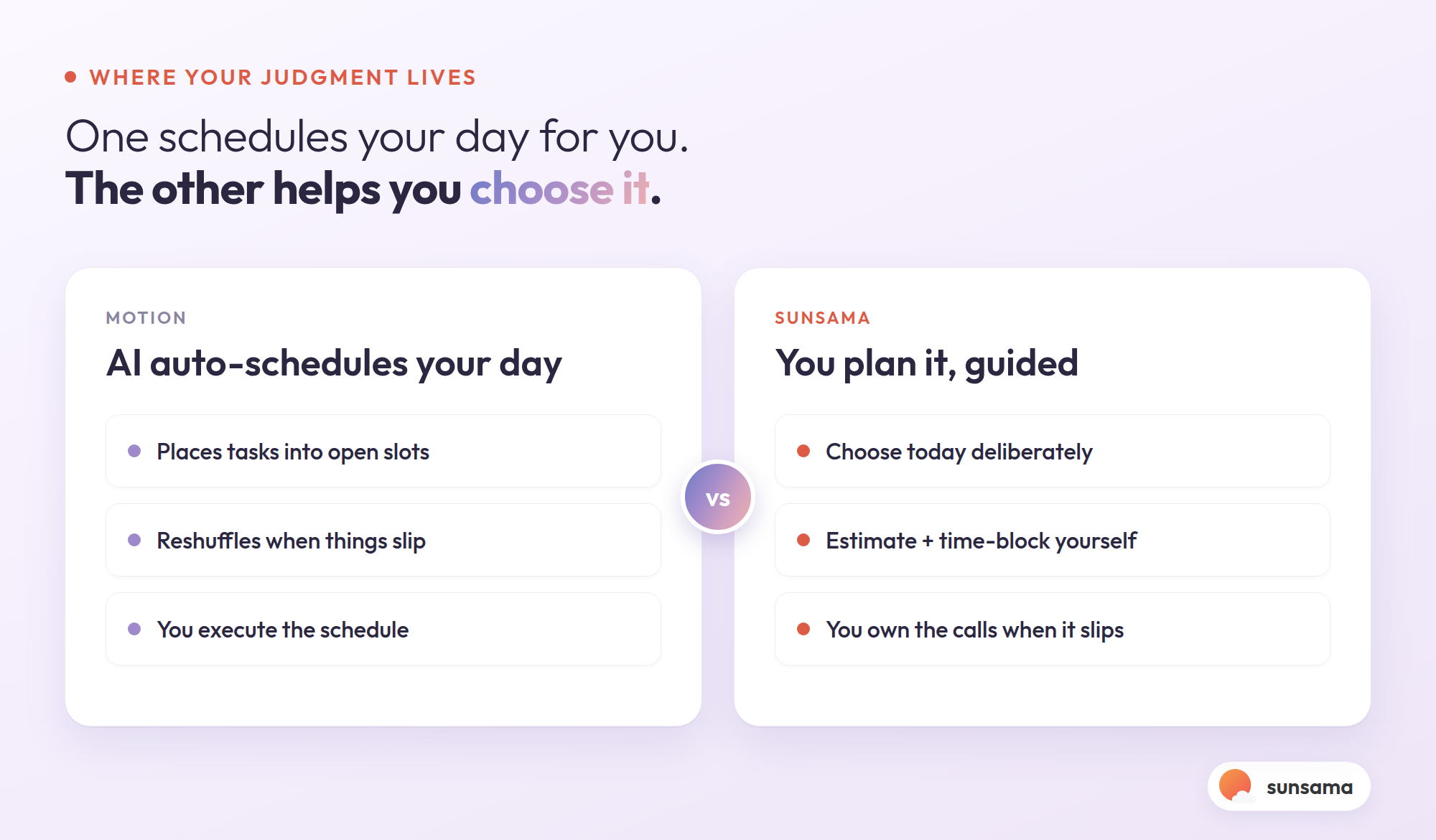
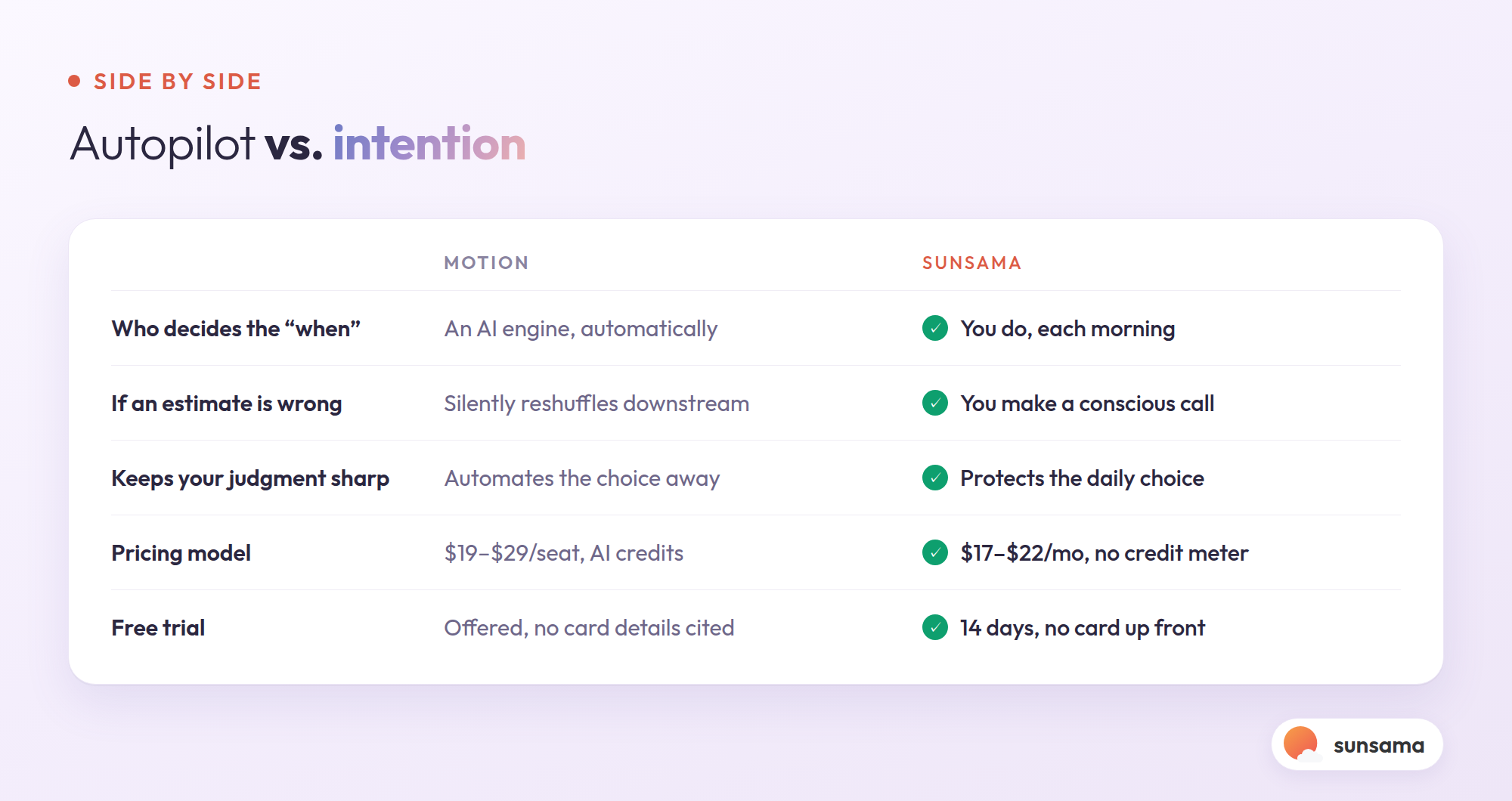
Motion’s central feature is AI auto-scheduling. You give it tasks with deadlines and durations, and its engine places them into open calendar slots, reprioritizes when something slips, and resolves conflicts when a meeting lands on top of focused work. Its own pricing page lists a Pro AI plan at $19 per seat per month and a Business AI plan at $29 per seat per month, with annual billing advertised as saving about 33%, and it offers a free trial. The 2026 version meters its AI with a credit system — thousands of credits per seat each month — which tells you something about the product’s worldview. The AI isn’t a helper at the edges. It is the product. You’re paying for how much of it you run.
That design is excellent for one specific problem: having too many commitments and no time to arrange them. If your constraint is purely logistical — a hundred tasks, forty meetings, and a calendar you cannot physically solve by hand — an optimizer earns its keep. It will Tetris your week more thoroughly than you ever would at 8 a.m. on a Monday.
But optimization has a cost that doesn’t show up on the pricing page. When an engine decides when everything happens, you slowly stop practicing the thing that planning was supposed to teach you: looking at a finite day and deciding, on purpose, what actually matters in it. The calendar fills, but the muscle that chooses atrophies. You become a person who executes a schedule rather than a person who makes one — and those drift apart the first week the schedule is wrong.
Where the autopilot model quietly fails
Auto-scheduling assumes two things that are rarely true: that your tasks carry honest time estimates, and that your priorities are stable enough to encode in advance. In practice, the “45-minute” task is really ninety minutes, the “quick” one spawns three more, and the thing that mattered most on Monday is irrelevant by Wednesday because a client changed their mind. Feed optimistic inputs to an optimizer and you get a confidently wrong day — one that looks orderly right up until the first slip, after which the engine reshuffles everything downstream and you spend the afternoon reacting to a plan you never consciously agreed to.
There’s a subtler failure, too. A fully automated day removes the small friction of choosing — and that friction was doing useful work. The moment where you look at seven possible tasks and pick three is where you notice you’ve overcommitted, where you catch the project that’s drifting, where you decide to protect an afternoon for the thing no deadline is forcing yet. Skip that moment every day for a month and you lose your own read on your workload. The autopilot flies the plane beautifully and you forget how to land it.
This is the same tension Sunsama’s blog explores in its guide to how AI can genuinely help your productivity: the useful question isn’t how much of your work can AI take over, but which parts — and the deciding-what-matters part is the one worth keeping.
How Sunsama draws the line differently
Sunsama is built on the opposite instinct. Instead of generating your day, it walks you through making it. Each morning it guides a short planning ritual: it shows you yesterday’s unfinished work, your calendar, and your task backlog, and asks you to choose what today is — pulling tasks in deliberately, giving each a realistic time estimate, and stopping when the day is honestly full rather than when the slots run out. You still get tasks and calendar in one place. You still time-block. The difference is that you’re the optimizer, and the tool’s job is to make your judgment easier, faster, and more honest — not to replace it.
That changes the daily experience in a way that compounds. Because you chose the day, you own it. When something slips at 2 p.m., you’re not watching an engine silently reorganize your evening; you’re making a small, conscious call about what gives. Sunsama leans into this with a guided end-of-day shutdown that asks you to close out, reflect, and roll over what’s left — so tomorrow starts from an honest position instead of an automated backlog. The app is calmer by design because it keeps you in the loop on purpose.
Try it in Sunsama: For one week, end each day with the guided shutdown instead of just closing your laptop. Mark what you finished, decide deliberately where the unfinished work goes, and notice that you made those calls — not an optimizer rearranging your tomorrow while you slept.
On price, Sunsama is a flat $22 per month billed monthly, or $17 per month billed annually ($204 a year), with a 14-day free trial that takes no credit card up front — the company only asks for billing details if you decide to upgrade. There’s no credit meter, because the product isn’t rationing an engine’s output. You’re paying for a planning practice, not for compute.
Try it in Sunsama: Tomorrow morning, before you touch your inbox, open Sunsama and do the guided daily plan once. Pull in only what you’d genuinely stand behind finishing today, and give each task a time estimate out loud. Notice how different that feels from reading a schedule someone — or something — handed you.
A fair way to choose between them
The honest answer is that these tools fit different people, and the deciding factor isn’t features — it’s where you want your attention to go.
Choose Motion if your bottleneck is genuinely volume and logistics — you have more committed work than any human could hand-arrange, your estimates are reliable because the work is repeatable, and you’d rather spend zero minutes a day arranging and are comfortable letting an engine own the when. For high-volume operators with stable, well-scoped task lists, that trade is rational.
Choose Sunsama if your real problem isn’t arranging the work but deciding it — if you overcommit, if your days get hijacked by whatever’s loudest, if you end weeks busy but unsure you did the right things. Sunsama is built for the person who wants a daily plan they actually chose and will actually defend, with the tool removing friction instead of removing the decision. Its official daily planning guide is essentially the manual for that habit, and its approach to setting daily intentions is about naming the point of the day before you fill it.
A useful test: think about the last time your plan broke mid-afternoon. Did you want a system that silently re-solved the whole day for you — or one that handed you the two or three real choices and let you make them? That instinct is your answer.
The reframe: automation vs. intention
It’s tempting to frame this as manual versus automated, as if Sunsama were just the stubborn, slower option. That’s not quite it. Sunsama automates plenty — it unifies your tasks and calendar, surfaces what’s unfinished, time-blocks your estimates onto the day, and remembers everything you didn’t get to. What it deliberately doesn’t automate is the one judgment that defines whether a day was good: what deserved to be in it. Time-blocking works best when the blocks represent choices you made, not slots an engine filled.
Motion is betting that arranging the day is the hard part, so it should be automated away. Sunsama is betting that choosing the day is the hard part, so it should be protected and made easier. If you’ve ever ended a perfectly scheduled week feeling like you ran someone else’s errands, you already know which bet matches your experience.
Pro Tip: Whichever tool you pick, run one weekly review by hand — no automation. Look back at what you actually did versus what you planned, and ask whether the week reflected your priorities or just your calendar’s. That half hour of reflection is the thing no auto-scheduler can do for you, and it’s what keeps any system honest.
Getting started
If your week is a logistics problem and you trust your estimates, give Motion’s free trial a run and let the engine prove its worth. If your week is a judgment problem — too much pulled in, the important thing crowded out, a quiet worry that busy isn’t the same as right — start Sunsama’s 14-day free trial, no card required, and do the guided daily plan for five mornings straight. Don’t measure it by how full your calendar looks at 9 a.m. Measure it by how you feel at shutdown: like you executed instructions, or like you made some good calls today. That feeling is the whole difference, and it’s the one worth choosing on purpose.