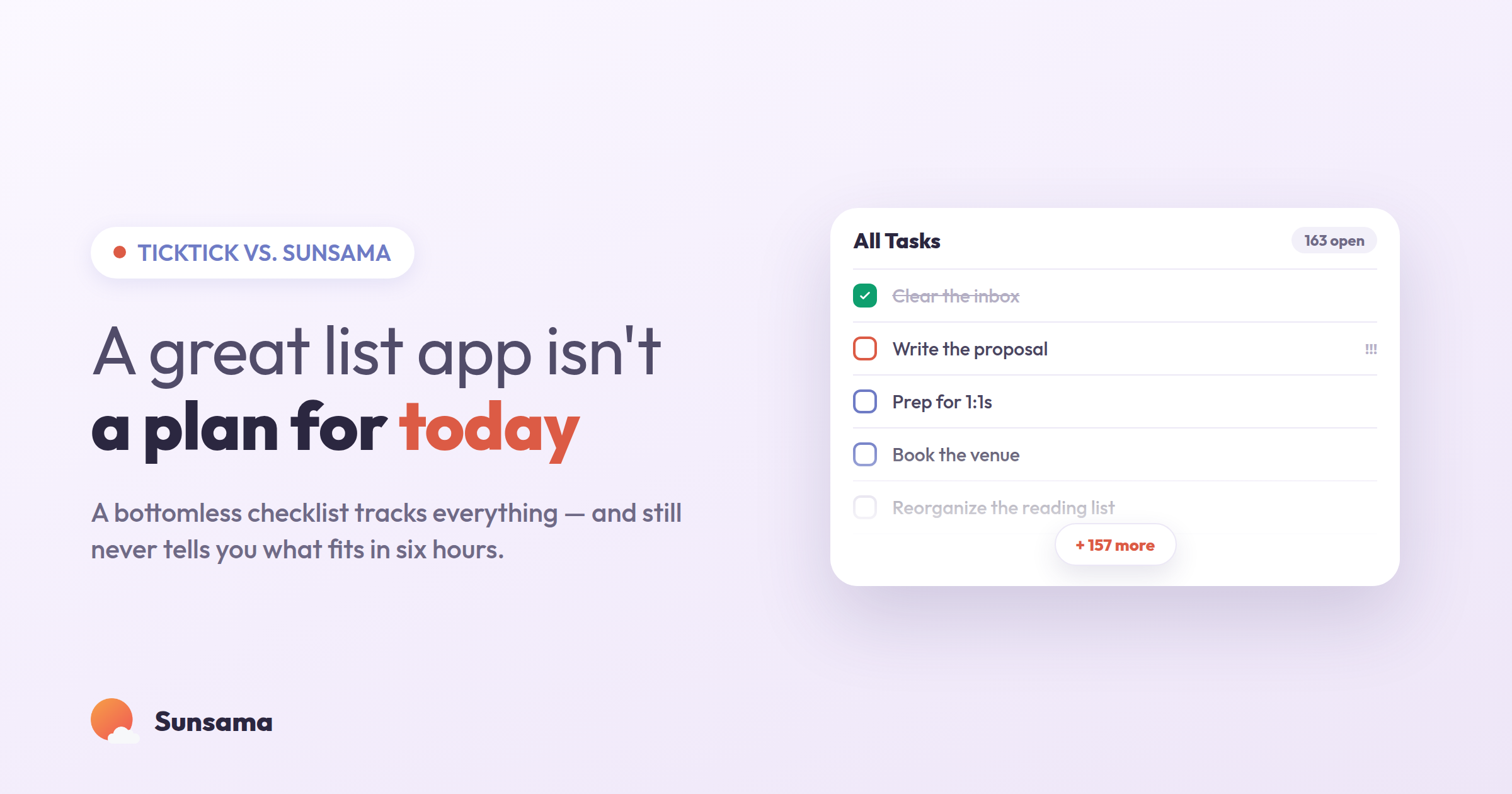
If you use TickTick, there’s a good chance you genuinely like it — and that you still end some days wondering where the time went. That’s not a contradiction. TickTick is one of the best-built to-do apps around. It captures tasks instantly, parses dates from plain language, organizes everything into tidy lists and folders, and throws in a calendar view, a Pomodoro timer, and habit tracking for good measure. It is, by almost any measure, a very good place to put your tasks.
The question this post is really about is quieter: once everything is captured and organized beautifully, what tells you what today actually looks like? For a lot of people, the honest answer is “nothing does.” You open a long, well-sorted list, feel a flicker of overwhelm, and start working on whatever’s loudest. That gap — between a list that’s organized and a day that’s planned — is the whole difference between TickTick and Sunsama, and it’s worth understanding before you decide which one fits how you work.
Two apps, two different jobs
It’s tempting to frame this as feature-for-feature, but that misses the point. TickTick and Sunsama are good at two genuinely different jobs.
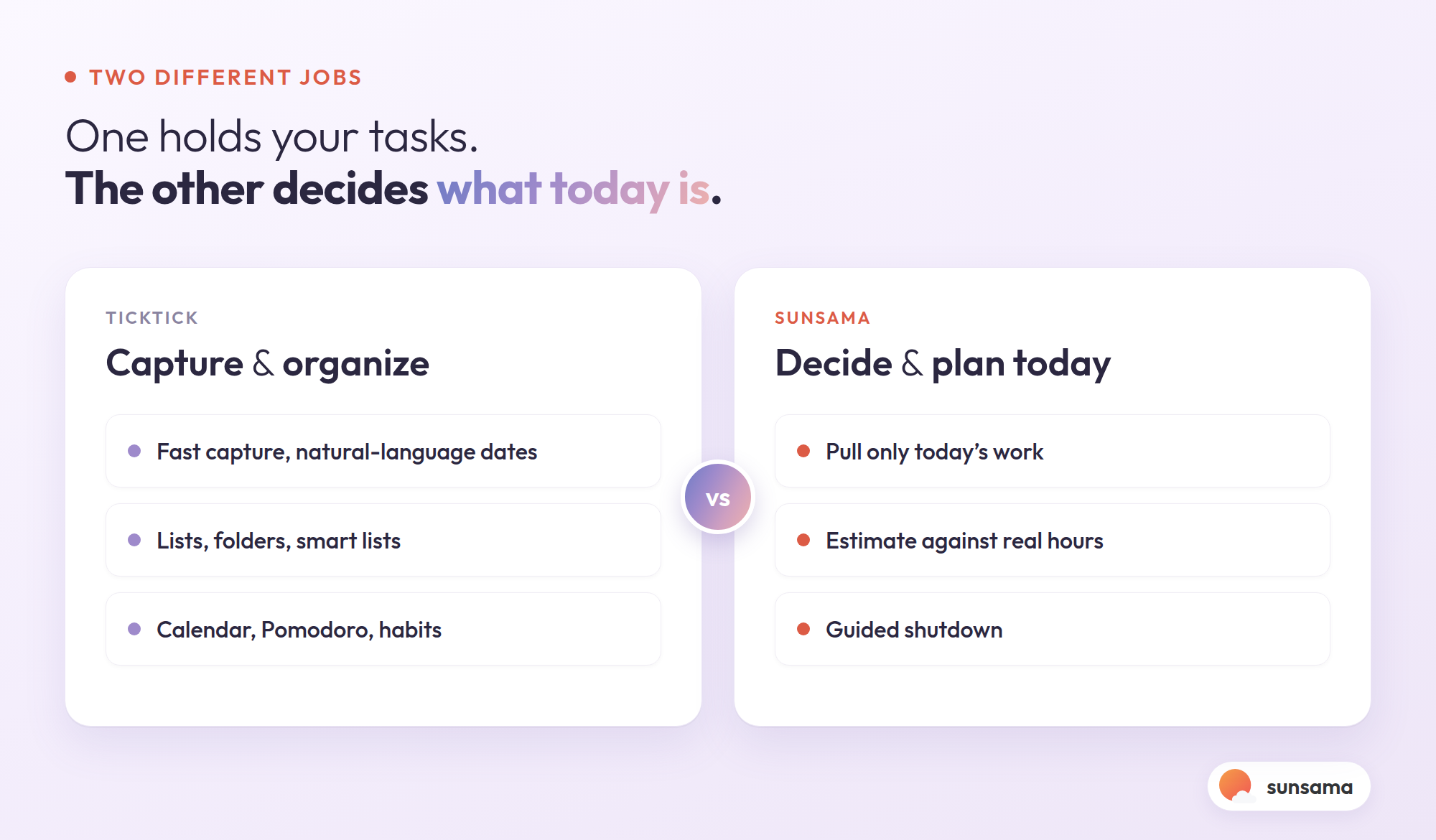
TickTick’s job is capture and organization. It wants to be the fastest, most flexible home for everything you need to do, across every area of your life, with powerful ways to slice and sort it. If your problem is “things fall through the cracks,” TickTick solves it well. A good list is the foundation of any system — how to make a to-do list that you actually trust is a real skill, and TickTick supports it.
Sunsama’s job starts one step later. It assumes you can capture tasks — in fact, it connects to the tools where your tasks and meetings already live — and it focuses on the harder question: of everything on your plate, what are you actually doing today, and will it fit in the hours you have? Sunsama is a daily planner first and a task list second. It walks you through planning tomorrow deliberately, pulling only what’s realistic onto a calendar, and closing the day down when it’s done.
Neither job is wrong. But they lead to very different days, and most people’s actual struggle lives in the second job, not the first.
Why a powerful list can still leave you adrift
Here’s the failure mode almost nobody warns you about when they recommend a feature-rich list app. The better your tool is at holding and organizing tasks, the easier it becomes to keep adding to it — and the bigger the gap grows between “everything I could do” and “what I’ll do today.” Organization feels like progress, so you tidy, tag, and re-sort, and the list gets longer and more orderly while your actual day stays just as reactive as before.
A few specific things tend to go wrong:
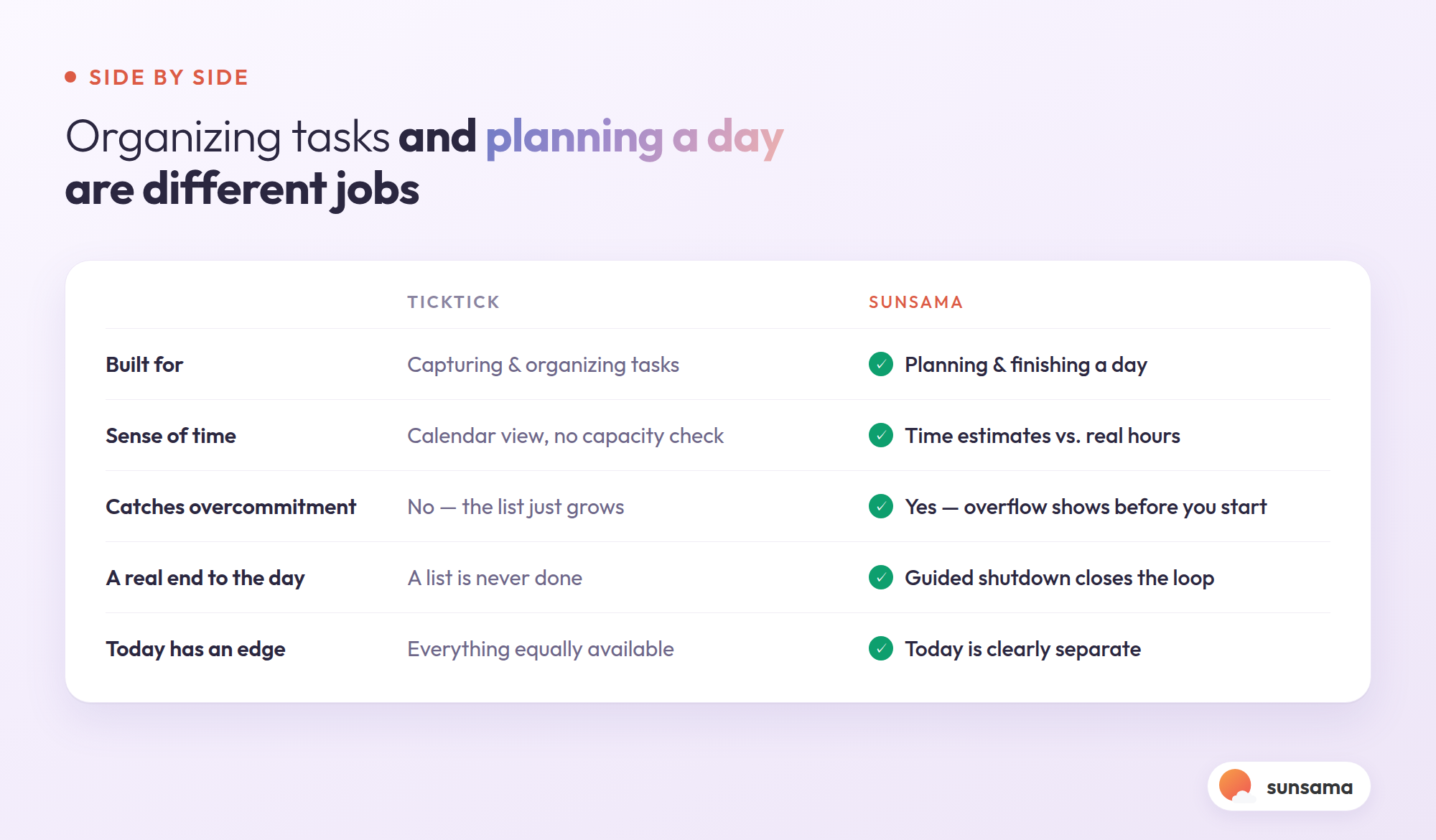
The list has no sense of time. A to-do list, even one with a calendar view bolted on, doesn’t inherently know that you only have about four usable hours between meetings today. So you check off six things that take ten minutes each and the one that mattered — the two-hour task — rolls to tomorrow again. Planning to your real capacity is a muscle, and a pure list app never asks you to use it. (The whole premise of the official daily planning guide is that this step is where most days are won or lost.)
Everything is equally available, which means nothing is clearly today’s. Smart lists and filters are great, but “everything, sortable” subtly pushes the decision of what to actually commit to onto you, every single time you open the app, with no ritual around it. Decision fatigue does the rest.
There’s no real end. A list is never done — there’s always more in it — so the workday quietly expands to fill the evening. Without a deliberate shutdown, you stop when you’re tired, not when the plan is complete.
None of this is a knock on TickTick specifically. It’s true of any tool whose core job is holding tasks rather than planning days. The habit tracker and Pomodoro timer help you execute, but they don’t answer the “what, realistically, today?” question either.
Try it in Sunsama: Each morning (or the night before), Sunsama asks you to plan the day by dragging tasks onto a timeline and giving each a time estimate. The moment your estimates add up to more hours than you have, you can see it — and you cut or move something before the day starts, instead of discovering it at 5 p.m.
What changes when planning is the main event
Switching the center of gravity from “organize my tasks” to “plan my day” sounds small. In practice it reshapes the whole day.
You commit to a realistic set, not an aspirational one. Because Sunsama asks you to put time estimates on tasks and lay them against your actual calendar, you stop planning days that were never going to fit. The list stops being a source of low-grade guilt and becomes a plan you can finish.
Today has an edge. Tasks you’ve pulled into today are visibly separate from the backlog. There’s a clear “this is the day,” which is exactly what a bottomless, perfectly-sorted list can’t give you.
Your tasks and calendar live in one view. Instead of a to-do list in one place and meetings in another, Sunsama shows both on a single timeline, so your plan reflects the meetings already eating your afternoon. If you’ve ever wanted your tasks and your calendar to finally agree with each other, this is the time blocking idea made the default rather than a thing you set up by hand.
The day actually ends. Sunsama’s shutdown walks you through what got done, moves what didn’t to a real future day, and gives you permission to stop. A list app will happily let you scroll it at 10 p.m.; a daily planner closes the loop.
Try it in Sunsama: Connect the tools you already use — including a task app, your calendar, and more — so tasks flow in automatically. You keep capturing wherever you capture best; Sunsama becomes the place you decide what today is.
So which one should you use?
Be honest about which job is your real bottleneck.
If your problem is that things slip through the cracks — you forget commitments, you need one flexible, powerful home for tasks across work and life, and you love the idea of a built-in calendar, Pomodoro, and habit tracking in one app — TickTick is an excellent choice, and you may not need anything else. It does the capture-and-organize job as well as almost anyone.
If your problem is the other one — your tasks are captured fine, but you still end days feeling busy and behind, you over-commit and then roll things forward, and you want something that tells you what today realistically looks like and when to stop — then a list app, however good, isn’t aimed at your actual struggle. That’s the job Sunsama is built for.
Plenty of people even use both: TickTick as the long-term home for everything, Sunsama as the place they plan the day and pull only what fits. The two aren’t really competing for the same minutes — one is the library, the other is today’s reading.
Pro Tip: Before you switch anything, run a one-week test. Keep your list exactly where it is, but each morning write down the three things you’ll actually do today and the rough hours they’ll take. If that simple act changes your days more than any feature did, your bottleneck was never capture — it was the daily plan, and that’s worth choosing a tool around.
The honest reframe
A beautifully organized list can feel like being on top of things while your days stay exactly as reactive as before. Organizing tasks and planning a day are different skills, served by different tools, and it’s easy to spend years polishing the first while the second quietly goes unaddressed. (It’s the same reason the digital versus physical planner debate rarely settles anything — the format was never the real issue; the daily decision was.)
If TickTick has your tasks under control and your days still feel like they happen to you, that’s useful information. It means the next thing to improve isn’t your list. It’s the fifteen minutes each morning where you decide what today is — and the stopping point each evening where you let it be done. A light weekly review keeps the whole thing honest over time; how to do a weekly review is a calm way to build that habit.
Sunsama is built around exactly those two moments. You can try it free for 14 days, no credit card required, and keep your list right where it is — the point isn’t to replace how you capture, it’s to finally plan the day you’re capturing for.