Something quietly changed in the last year or two. You probably don’t take meeting notes anymore — an AI does. You probably don’t hunt for a meeting time — an assistant proposes one. Summaries write themselves. Action items get extracted. On paper, you’ve been handed back hours of the week you used to spend on the busywork around the work.
So here’s the question almost nobody’s asking: what are you actually doing with that time?
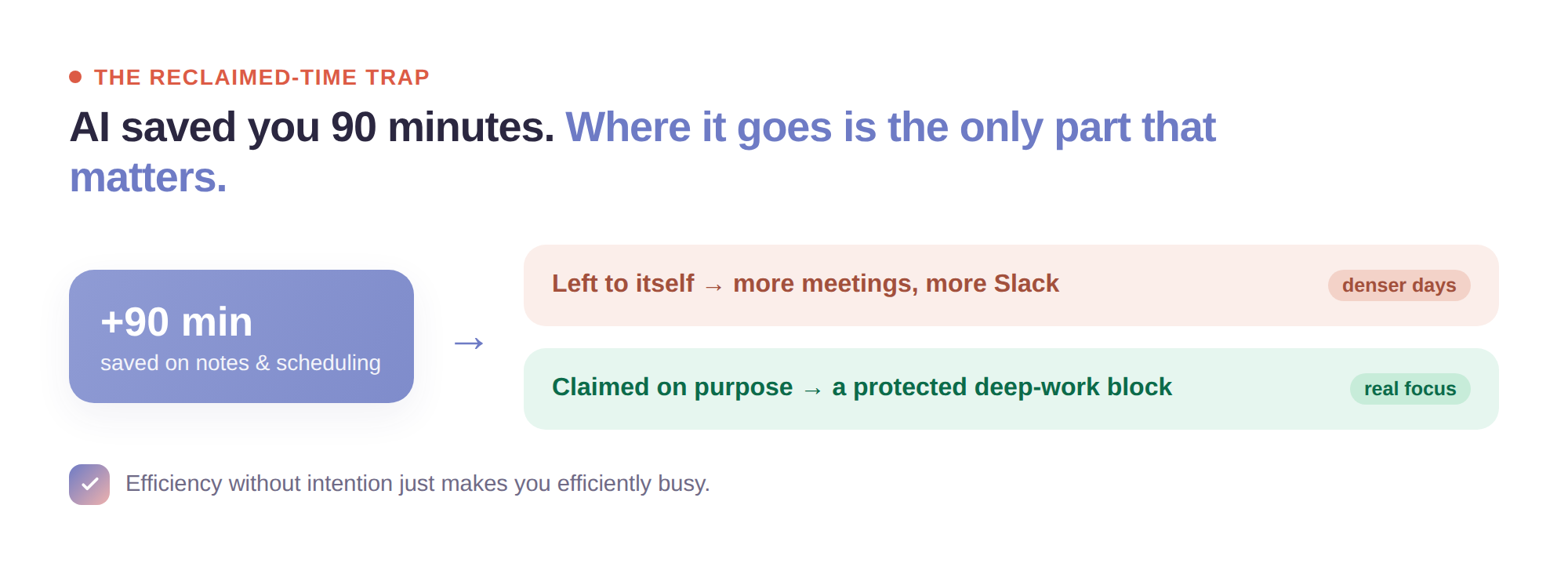
Because for a lot of people, the honest answer is nothing intentional. The reclaimed minutes don’t turn into deep work or an earlier evening — they evaporate into more meetings, more Slack, a marginally fuller inbox. The AI removed the busywork and the busywork simply refilled. If that’s the trade, you didn’t get time back; you just got denser days. This is about making sure the time AI hands you actually becomes something.
The reclaimed-time trap
There’s a predictable failure mode with any efficiency gain: the time you save doesn’t stay saved unless you claim it. Save ninety minutes of note-taking a week and, left to itself, that ninety minutes gets absorbed by whatever’s loudest — usually more meetings, because now that scheduling is frictionless, more meetings get booked. The tools optimized the inputs to your day and left the shape of your day exactly as overstuffed as before.
The point of AI handling your notes and scheduling was never to fit more in. It was to give you back the one thing the busywork was stealing: attention for the work that actually matters. But that only happens if you decide, in advance, where the reclaimed time goes — and then defend it. Efficiency without intention just makes you efficiently busy.
(For a broader tour of the tools themselves, we’ve covered how AI can genuinely help your productivity — this piece is about what to do after they’ve saved you the time.)
Three ways to actually keep the time AI gives you
1. Convert saved time into a protected block, immediately
Don’t let reclaimed minutes stay loose — loose time gets colonized. If AI is saving you an hour a week that you used to spend writing up meetings, turn that hour into a named, recurring block on your calendar for the work that never gets a turn: the strategy doc, the thinking, the thing you keep meaning to start. Make it concrete and defended, or it will quietly become three more meetings.
Try it in Sunsama: Put the time you’ve reclaimed on your calendar as a real timeboxed block for your most important work, so it’s claimed before the day fills it.
2. Turn AI’s action items into a real plan — don’t let them rot in a summary
Here’s a new problem the tools created: summary debt. Every meeting now generates a tidy AI summary with a list of action items — and those summaries pile up, unread, in a dozen different docs. The AI captured the follow-ups beautifully and then left them stranded somewhere you never look. Extraction isn’t the same as doing, which is exactly why capturing tasks alone was never enough. Once a meeting ends, the action items that are actually yours need to leave the summary and land in the one place you plan your day — with a real time attached — or they’re just a well-organized list of things you’ll forget.
Try it in Sunsama: Pull the action items AI captured into your daily plan and give them a slot, so “captured” turns into “scheduled” instead of “buried in a doc.”
3. Keep a human in the loop — verify before you trust
AI notes and auto-extraction are fast, not infallible. They mishear names, invent nuance, occasionally assign you a task nobody actually gave you, and flatten the one comment that mattered into a bullet that doesn’t. Trusting them blindly trades one kind of busywork for a subtler kind of risk. Build a thirty-second verification habit: skim the AI’s summary against your own memory of the meeting, fix what’s wrong, and confirm the action items are really yours before they enter your plan. The time you saved is only a gain if what you’re acting on is actually true.
Pro Tip: Don’t run five overlapping AI tools because each is individually impressive. Every tool you add is another place notes live, another integration to reconcile, another thing to check — and the constant switching between them can quietly eat the very time the tools were supposed to save. Pick the smallest set that covers capture, scheduling, and planning, and resist the urge to collect more.
The deeper shift: AI changes the inputs, not the decisions
It’s worth being clear about what AI can and can’t do for your day, because the marketing blurs it.
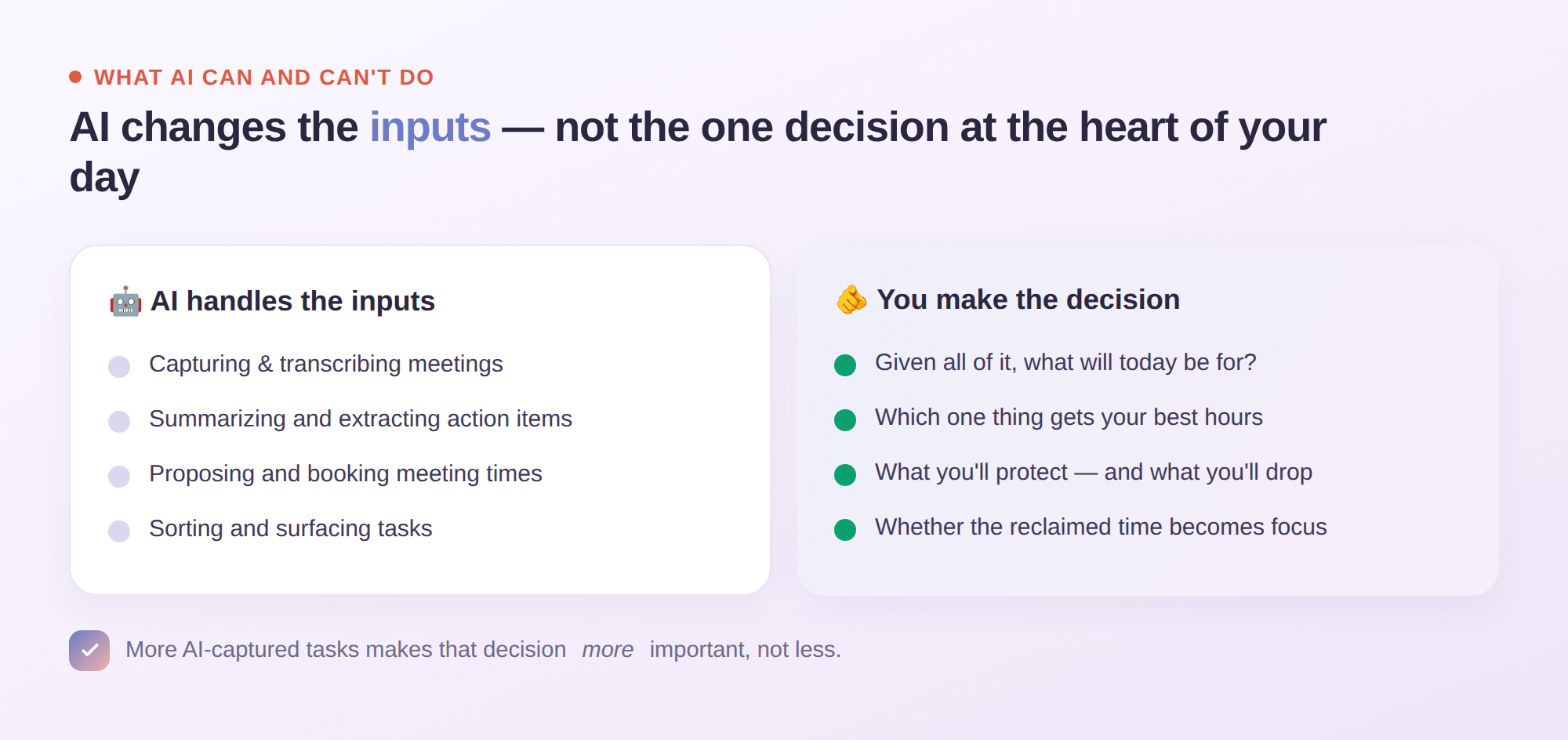
AI is genuinely excellent at the inputs — capturing, transcribing, summarizing, proposing times, extracting tasks. That’s real, and it’s a gift. What AI can’t do is make the decision that’s at the heart of a good day: given everything you now could do and the finite hours you have, what will today actually be for? That’s a judgment call about your priorities, your energy, and your life — and no amount of automated capture makes it for you. If anything, the flood of AI-captured tasks and effortlessly-booked meetings makes setting a clear daily intention more important, because there’s more coming at you and less friction stopping it.
So the winning move in 2026 isn’t to automate more. It’s to let AI handle the inputs it’s good at, and to get more deliberate — not less — about the one decision it can’t touch. The people who benefit most from these tools aren’t the ones with the most automations. They’re the ones who use the reclaimed time on purpose.
Getting started
This week, do a small audit. Where is AI already saving you time — notes, scheduling, summaries? Now ask the uncomfortable follow-up: where is that saved time actually going? If the honest answer is “into more of the same,” pick one hour of it and give it a home — a named block for the work that matters, defended like a meeting. Then take one habit from above: pull AI’s action items into your real plan instead of letting them rot in summaries, and verify before you trust.
AI has quietly handed you back some of your week. Whether that becomes real breathing room or just a denser calendar is the one part it can’t decide for you.